My Charging Station Went Down: What to Do, in Order
The short answer
Start with the simplest cause and move to the most expensive: energy, connection with the platform, app and billing, and only then hardware. What the owner sees alone is the circuit breaker, the network and a session test. A burnt cable, an error that returns and an internal part are a case for a technician.
Before calling someone, it's worth following an order of causes. This guide shows what the owner can check alone and what is already a case for assistance.
The app shows the charger offline, the driver messages saying it won't turn on, or you pass by the point and the screen is dark. Before calling someone, it's worth following an order: from the simplest cause to the most expensive.
If you prefer that this tracking stays with another team, see how Elektro Charge's charging station management works. The guide below is for those who want to look at their own point first. It doesn't replace the manufacturer's manual or the qualified technician: an electrical panel is a professional's job.
1. Energy: is the charger getting it?
Without energy, nothing else matters. Start here.
- The charger's circuit breaker: check in the panel whether it tripped. If it is tripped, reset it once and watch. If it trips again, there is a real problem: stop and call an electrician.
- Site power: is the rest of the establishment also without power? Then the problem isn't the charger's.
- The charger's own protections: some models have protection against voltage fluctuation or overload. Your equipment's manual says how it behaves and how to reset it.
- Phases: if the charger is three-phase, the manual says what it does when a phase is missing. The screen may show the error.
2. Network and OCPP: does it talk to the platform?
A public charger communicates with a central platform, through a protocol like OCPP, over a network cable, Wi-Fi or a data SIM. If that communication drops, the equipment may be intact and still appear as unavailable in the app. What OCPP is and what to ask when buying a charger is explained on the Velquia blog: what OCPP is and why it matters to those who operate a charging station.
- Connection: is the site's router on? Is the cable secure? If the charger uses a data SIM, does it have signal and a data plan?
- Configuration: after changing provider or router, the charger's settings may no longer match the network. This is adjusted in the equipment's menu, with guidance from whoever installed it.
- Restart: the manufacturer's manual says how to restart the charger safely. Follow that instruction instead of switching the circuit breaker on and off several times.
3. App and operator: charger or billing?
Not every "it won't charge" complaint is a stopped charger. The driver's payment may have been declined, or their app may be having a problem. Test it yourself: start a session at your charger, through the same path the driver uses.
- If the session starts and delivers energy, the charger works, and the problem is in the payment or the driver's device.
- If the QR code doesn't open, check whether the point is active on the operator's platform.
- If the point appears free in the app but the charger is dark, platform and equipment are out of sync. Go back to step 2.
4. Hardware: connector, cable, screen and emergency button
Only after the previous steps does it make sense to suspect the equipment. It is the part the owner can look at, but shouldn't repair.
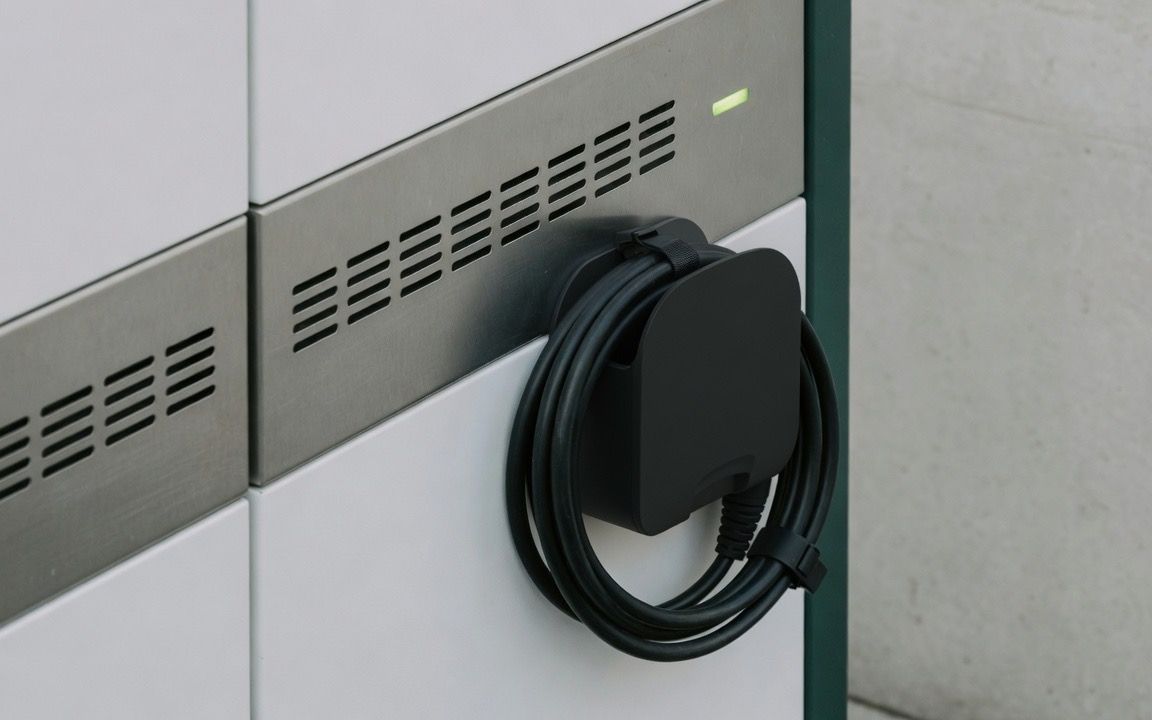
- Connector and cable: look for a bent pin, dirt, a burn mark, a crushed cable or a plug that doesn't fit the car's socket.
- Screen and emergency button: a frozen screen or a triggered emergency button can leave the charger blocked until someone releases it, according to the manual.
- Error code: write down what the screen shows and take a photo. It is the most useful information for the technician.
What you can check yourself and when to call assistance
You can check the circuit breaker, the site's power, the network connection, the session test and the visible state of the connector. Opening the cabinet, replacing parts and changing the OCPP configuration without guidance are for the technician.
Call assistance if the circuit breaker trips again, if there is a burnt smell, if the error code returns or if the screen indicates a hardware failure. If your warranty contract requires authorized assistance, opening the equipment on your own can have consequences: check the contract first.
The cost of a stopped point
A stopped charger generates no session. The cost is the sum of three things: the sessions that stopped happening while it was offline, the days until someone noticed the problem and the drivers who went to another point in that period. The math is about your days and your sessions, not a market number.
That's why it matters to know the charger has stopped before the driver complains. Whoever operates the point alone depends on someone warning them. In Elektro Charge's management, the alert comes from the platform itself.
When monitoring and support stay with us
We use AI in monitoring: the platform warns when a charger stops or when something departs from the standard, and our team acts. The driver support is ours, 24 hours, so it's us they call, not you. Maintenance is done with partners.
If you already have the charger and want to know how this would work at your point, learn about third-party charging station management.
Want the alert to arrive before the driver?
Tell us where the charger is and how it operates today. We'll say whether it makes sense, and, if it doesn't, we'll say that too.
Learn about charging station management →Frequently asked questions
My charging station went down. Where do I start?
With the energy: the charger's circuit breaker and the site's power. If the energy is normal, move to the connection with the platform, then to the app and billing, and only at the end to the hardware.
The charger shows offline in the app. What could it be?
A communication failure: router off, loose cable, a data SIM with no signal or a configuration that no longer matches the network. The manufacturer's manual says how to restart the equipment.
When do I need to call technical assistance?
When the circuit breaker trips again, there is a burnt smell, the error code returns or the screen indicates a hardware failure.
How much does it cost to leave the charger down?
It depends on your point's data. It is the sum of the sessions that didn't happen, the days until someone notices and the drivers who went to another point.
Does Elektro Charge take care of this for those who already have a charger?
Yes, in third-party charging station management. We use AI in monitoring, the platform warns when a charger stops, the driver support is ours, 24 hours, and maintenance is done with partners.